You already know you need accounting software. The real question is which one will not waste your time.
Most lists throw 10 tools at you with nearly identical descriptions. This one is different. Eight picks, honest verdicts, and a clear answer to the only question that actually matters — which one is right for where your cleaning business is right now.
What Features Should Janitorial Businesses Look for in Accounting Software?
- Recurring invoicing — Most cleaning contracts bill weekly or monthly. Automation here saves hours every month.
- Job-level expense tracking — You need to know what each account costs to service, not just total expenses.
- Payroll integration — Labor is your biggest cost. Clean payroll records protect your margins.
- Mobile access — Field owners and supervisors need to check invoices and payments on the go.
- Integration with scheduling tools — Syncing with Jobber, Swept, or Janitorial Manager prevents double data entry.
🗣️ Insight: “The cleaning businesses that lose money are usually not the ones with bad clients. They are the ones with good clients and no system to track what those clients actually cost to service.” — BOMA Field Report, 2024
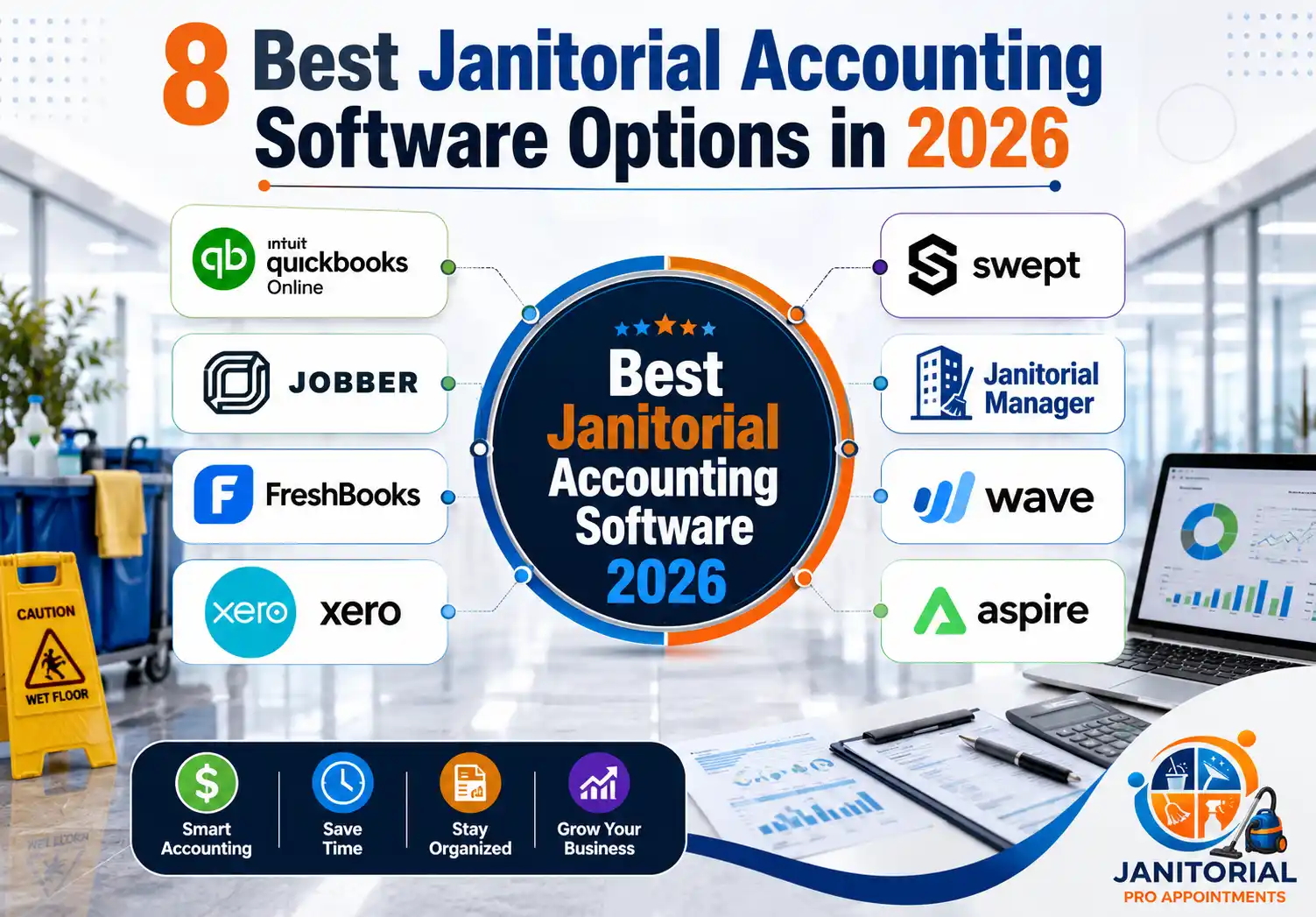
Quick Comparison — Which Janitorial Accounting Software Is Right for You?
| Software | Best For | Price From | Janitorial Fit | Skip If You… |
|---|---|---|---|---|
| QuickBooks Online | Small–mid teams | ~$35/mo | General accounting | Need site-level job costing |
| Jobber | Field-first ops | ~$39/mo | Ops + invoicing | Need full accounting reports |
| FreshBooks | Solo operators | ~$19/mo | Simple invoicing | Manage multiple job sites |
| Xero | Multi-location biz | ~$20/mo | Full accounting | Need US native payroll |
| Swept | Crew-heavy teams | ~$30/mo | Labor + ops | Need standalone accounting |
| Janitorial Manager | Commercial accounts | Contact vendor | Industry-specific ops | Are just starting out |
| Wave | Startups | Free | Basic only | Have payroll or crews |
| Aspire | Large contractors | $1,000+/mo | Full ERP | Run under 10 crews |
1. QuickBooks Online
The safe, reliable choice most cleaning businesses end up with
| Ease of Use | Price Value | Janitorial Fit | Scalability |
| ★★★☆☆ | ★★★☆☆ | ★★★☆☆ | ★★★★☆ |
Who Should Use QuickBooks Online?
Small to mid-sized janitorial companies that want full cloud accounting with recurring invoicing, expense tracking, and payroll — without learning a complex new system.
What Does QuickBooks Online Do Well for Janitorial Businesses?
- Automated recurring invoices for weekly and monthly contracts
- Expense tracking by category — labor, supplies, fuel, equipment
- Bank reconciliation with automatic transaction matching
- Strong financial reports — profit and loss, cash flow, balance sheet
- Integrates with Jobber, Swept, and hundreds of other tools
- Most accountants already know it — saves you setup time
Where Does QuickBooks Online Fall Short?
- Payroll is a paid add-on — expect $60 to $100/month total once added
- Built-in job costing is limited for multi-site contracts
- Can feel complex for first-time users without accounting experience
- Pricing increases as you add users and features
How Much Does QuickBooks Online Cost?
Starts at ~$35/month. Realistically, most cleaning businesses spend $60 to $100/month once payroll and higher-tier features are included.
💬 Real Talk: QuickBooks is the pickup truck of accounting software — not exciting, not built specifically for janitorial, but it gets the job done and your accountant already knows how to use it.
💡 Pro Tip: Start on the Simple Start plan. Most cleaning businesses never need the higher tiers. Upgrade only when you actually hit a specific limit.
2. Jobber
The best choice when scheduling and invoicing need to live in the same place
| Ease of Use | Price Value | Janitorial Fit | Scalability |
| ★★★★☆ | ★★★☆☆ | ★★★★☆ | ★★★★☆ |
Who Should Use Jobber?
Growing janitorial businesses that want scheduling, quoting, invoicing, and payment collection in one platform — with QuickBooks or Xero handling deeper accounting in the background.
What Does Jobber Do Well for Janitorial Businesses?
- Combines job scheduling and invoicing in one dashboard
- Automated follow-up reminders for unpaid invoices
- Client portal — customers can approve quotes and pay online
- QuickBooks and Xero sync for clean financial records
- GPS job tracking and mobile app for field crews
- Recurring job setup with linked billing — no manual re-entry
Where Does Jobber Fall Short?
- Not a full accounting replacement — needs QuickBooks for reporting
- Pricing jumps significantly on higher plans
- Advanced reporting only available on top-tier plans
- Some features feel redundant if you already have a solid operations setup
How Much Does Jobber Cost?
Starts at ~$39/month for basic features. Mid-tier plans run ~$119/month. Top-tier runs ~$249/month.
💬 Real Talk: If you are still manually scheduling crews and chasing unpaid invoices, Jobber changes the business more than any accounting software will. Handle operations first — then the books get easier automatically.
💡 Pro Tip: Connect Jobber to QuickBooks on day one. Retroactively syncing historical invoices creates reconciliation headaches that are not worth fixing later.
3. FreshBooks
The easiest invoicing tool for small teams who just want to get paid
| Ease of Use | Price Value | Janitorial Fit | Scalability |
| ★★★★★ | ★★★★☆ | ★★★☆☆ | ★★☆☆☆ |
Who Should Use FreshBooks?
Solo operators and small cleaning businesses — usually under 5 employees — who want clean, professional invoicing and easy payment collection without a steep learning curve.
What Does FreshBooks Do Well for Janitorial Businesses?
- Easiest invoicing interface on this list — takes minutes to learn
- Recurring billing for regular cleaning contracts
- Online payment collection via credit card and ACH
- Time tracking that converts directly into billable invoices
- Client portal for viewing and paying invoices
- Mobile receipt capture for on-site expense tracking
Where Does FreshBooks Fall Short?
- Not built for multi-site job costing or complex commercial contracts
- Client limit on lower plans — restrictive as you grow
- Limited financial reporting compared to QuickBooks or Xero
- Payroll requires a third-party integration like Gusto
How Much Does FreshBooks Cost?
Starts at ~$19/month (Lite). More useful plans start at ~$33/month. Note the Lite plan caps the number of billable clients.
💬 Real Talk: FreshBooks is the right tool right now if you are small and just want invoices to go out and money to come in. The moment you hire a crew or take on complex commercial contracts, you will hit its limits fast.
💡 Pro Tip: FreshBooks integrates cleanly with Gusto for payroll. Set it up before your first employee — retrofitting payroll later is messier than it looks.
4. Xero
The QuickBooks alternative for businesses that need remote financial collaboration
| Ease of Use | Price Value | Janitorial Fit | Scalability |
| ★★★★☆ | ★★★☆☆ | ★★★☆☆ | ★★★★☆ |
Who Should Use Xero?
Janitorial businesses managing multiple locations or working with a remote accountant or bookkeeper who needs real-time access to financial data.
What Does Xero Do Well for Janitorial Businesses?
- Real-time bank feed syncing with automatic reconciliation
- Clean, intuitive dashboard — easier to navigate than QuickBooks
- Multi-user access with role-based permissions
- Strong integration with Gusto for payroll
- Accessible from any device, any location
- Integrates well with Jobber and other field service tools
Where Does Xero Fall Short?
- No built-in US payroll — requires Gusto or similar add-on
- Financial reporting is less detailed than QuickBooks at similar price points
- No janitorial-specific features built in
- Customer support response times can be slow
How Much Does Xero Cost?
Starts at ~$20/month for basic features. Plans with expanded invoicing and multi-user access run $40 to $80+/month.
💬 Real Talk: Xero is a cleaner experience than QuickBooks and genuinely better for remote collaboration. If your accountant works offsite, it is worth considering. If your accountant is already fluent in QuickBooks, switching costs more than it saves.
💡 Pro Tip: If switching from QuickBooks, use Xero’s official migration tool. Manual data imports create reconciliation errors that take hours to clean up.
5. Swept
The workforce tracker that makes payroll and billing more accurate
| Ease of Use | Price Value | Janitorial Fit | Scalability |
| ★★★★☆ | ★★★★☆ | ★★★★★ | ★★★☆☆ |
Who Should Use Swept?
Janitorial companies with multiple cleaning crews across different commercial sites where labor accountability, time tracking, and client-facing inspection reports are a daily challenge.
What Does Swept Do Well for Janitorial Businesses?
- Clock-in/clock-out tracking per employee, per site
- Built-in team messaging — reduces daily phone calls to crews
- Cleaning checklists and inspection reports tied to each location
- Supply tracking across multiple job sites
- Client-facing inspection reports that support contract renewals
- QuickBooks integration for cleaner payroll and billing
Where Does Swept Fall Short?
- Not a standalone accounting tool — pairs with QuickBooks or Xero
- Less useful for very small operations with one or two employees
- Mobile performance can lag in low-connectivity areas
- Setup time required to configure each site and employee
How Much Does Swept Cost?
Starts at ~$30/month. Final pricing depends on team size and features — contact vendor for exact plans.
💬 Real Talk: Swept does not replace accounting software, but it fixes the data that feeds into it. When crew hours are accurate, payroll is accurate. When job completion is verified, billing disputes disappear.
💡 Pro Tip: Use Swept’s GPS verification on every commercial account from day one. It becomes your primary defense when a client claims a job was not completed — documented proof is worth more than any contract clause.
6. Janitorial Manager
The industry-specific option for established commercial cleaning companies
| Ease of Use | Price Value | Janitorial Fit | Scalability |
| ★★★☆☆ | ★★★☆☆ | ★★★★★ | ★★★☆☆ |
Who Should Use Janitorial Manager?
Mid-sized janitorial businesses running formal inspections, multiple commercial accounts, and structured work orders — who want an industry-built system alongside QuickBooks for accounting.
What Does Janitorial Manager Do Well for Janitorial Businesses?
- Work order management built specifically for janitorial accounts
- Site inspection tools with client-facing reporting
- Crew scheduling tied directly to contract and location data
- Supply ordering and tracking within the same platform
- Client communication and full service history records
- QuickBooks integration for invoicing and financial tracking
Where Does Janitorial Manager Fall Short?
- Pricing not publicly listed — requires contacting vendor
- Interface feels dated compared to newer platforms
- Better suited for established businesses than startups
- Integration depth varies depending on QuickBooks plan
How Much Does Janitorial Manager Cost?
Pricing not publicly listed — contact vendor. Typically starts at $30 to $50 per user per month based on plan and company size.
💬 Real Talk: Janitorial Manager is the right tool if formal inspections and site-level accountability are core to how you retain clients. If you are just starting out or your operation is simple, it is more than you need right now.
💡 Pro Tip: Ask the vendor for a reference from a janitorial company at your current account count before committing. Implementation experience varies significantly by team size.
7. Wave Accounting
The free option that genuinely works — until it does not
| Ease of Use | Price Value | Janitorial Fit | Scalability |
| ★★★★★ | ★★★★★ | ★★☆☆☆ | ★☆☆☆☆ |
Who Should Use Wave Accounting?
Solo operators and brand-new cleaning businesses that need professional invoicing and basic expense tracking without a monthly software cost.
What Does Wave Accounting Do Well for Janitorial Businesses?
- Core accounting completely free — invoicing, expense tracking, reports
- Professional invoice templates with recurring billing
- Bank connection and automatic transaction tracking at no cost
- Mobile app for on-the-go invoicing
- Easy to export data when you outgrow it
- Paid add-ons available for payroll and payment processing
Where Does Wave Accounting Fall Short?
- No advanced job costing or multi-site tracking
- Payment processing and payroll cost extra
- Customer support is limited on the free plan
- Fewer integrations than paid platforms
- Not built to scale beyond early-stage operations
How Much Does Wave Accounting Cost?
Core accounting is free. Payment processing fees start at ~2.9% + $0.60 per card transaction. Payroll add-on starts at ~$20 to $40/month.
💬 Real Talk: Wave is genuinely useful when you are bootstrapping. Use it to build good financial habits early. Most cleaning businesses outgrow it within the first year — and migrating to QuickBooks when that happens is straightforward.
💡 Pro Tip: Wave’s receipt scanning feature saves real time. Photograph every supply receipt on-site and it auto-categorizes — cuts 20 to 30 minutes of data entry every week.
8. Aspire
Enterprise-grade control for large commercial cleaning contractors
| Ease of Use | Price Value | Janitorial Fit | Scalability |
| ★★☆☆☆ | ★☆☆☆☆ | ★★★★★ | ★★★★★ |
Who Should Use Aspire?
Established commercial cleaning companies managing large multi-site contracts, complex crew structures, and detailed job costing needs — where a single pricing mistake on one contract can cost thousands.
What Does Aspire Do Well for Janitorial Businesses?
- Contract-level job costing down to the individual site
- Real-time profitability tracking per account
- Integrated bid, proposal, and work order management
- Crew scheduling connected directly to financial impact
- QuickBooks integration for payroll and tax reporting
- Client portal and communication tools built in
Where Does Aspire Fall Short?
- Pricing starts at $1,000+/month — not built for small operations
- Steep learning curve with significant onboarding time
- Implementation requires vendor support and dedicated training
- Way more platform than most growing cleaning businesses need
How Much Does Aspire Cost?
Custom pricing based on company size and features. Typically starts at $1,000+ per month. Requires a vendor consultation to get exact numbers.
💬 Real Talk: Aspire is the most powerful tool on this list and the most expensive by a wide margin. For large commercial contractors where job costing precision protects margin on every contract, it makes sense. For everyone else, it is too much platform.
💡 Pro Tip: If evaluating Aspire, ask specifically for references from janitorial companies at your current revenue level — not larger ones. The ROI looks very different at $500K versus $5M in annual revenue.
How to Choose Accounting Software for a Janitorial Business
What Size Is Your Janitorial Business Right Now?
- Solo operator or just starting out — Wave (free) or FreshBooks (~$19/mo)
- Small team, 5 to 15 accounts — QuickBooks Online (~$35/mo)
- Growing operation with multiple crews — QuickBooks + Jobber or QuickBooks + Swept
- Multi-location with remote finance team — Xero + Jobber
- Formal commercial accounts with inspections — Janitorial Manager + QuickBooks
- Large contractor, 30+ accounts, complex job costing — Aspire
What Is Your Biggest Financial Pain Point Right Now?
- Invoices going out late or getting forgotten — Jobber or FreshBooks
- No clear picture of which contracts actually make money — QuickBooks or Aspire
- Crew hours are wrong and payroll is always a headache — Swept
- Need to share financial access with a remote accountant — Xero
- Cannot justify a monthly software cost yet — Wave
Do You Already Use Scheduling or Field Management Software?
If yes — make sure your accounting software integrates with it. QuickBooks and Xero both connect with Jobber and Swept. Choosing tools that do not sync creates double data entry that costs time every single week.
If no — consider Jobber as your starting point. It combines scheduling and invoicing in one place, which solves two problems at once for a growing cleaning operation.
How Much Should You Budget for Janitorial Accounting Software?
- $0/month — Wave (basic bookkeeping only)
- $19 to $39/month — FreshBooks or Jobber entry plans
- $35 to $100/month — QuickBooks Online with payroll
- $100 to $250/month — Jobber or Xero mid-tier with integrations
- $1,000+/month — Aspire for large commercial operations
⚠️ Warning: Do not pick accounting software based on what your competitor uses. Pick it based on where your billing process currently breaks down. That is the only question worth answering first.
💡 Pro Tip: Start simple and upgrade when you actually hit a limit. Overpaying for software you do not fully use is one of the most common financial mistakes new cleaning businesses make.
Bottom Line
QuickBooks Online is the right default for most cleaning businesses. Jobber is the right move if scheduling and invoicing are eating your time. Wave is the honest starting point when budget is tight. And Aspire is the only choice when you are managing large commercial contracts at scale and need site-level financial precision.
The right software tracks your money. The right clients keep it coming in. Janitorial Pro Appointments connects cleaning businesses across the US with verified, appointment-ready commercial leads — so your calendar stays full and your accounting software has something worth tracking.
Start filling your calendar today
[ Get a Free Quote ]